
Boards don't need a slide full of numbers. A one-page structure we suggest to IT managers who have to report upwards.
IT managers sometimes ask us to help with the security section of a board pack. There's usually already a slide with a lot of numbers on it: blocked emails, patched machines, firewall events. The board nods and moves on, because none of those numbers say whether the business is in trouble.
What directors want to know is simpler. What could hurt us, are we dealing with it, and what do you need from us?
Here's a one-page structure that tends to work.
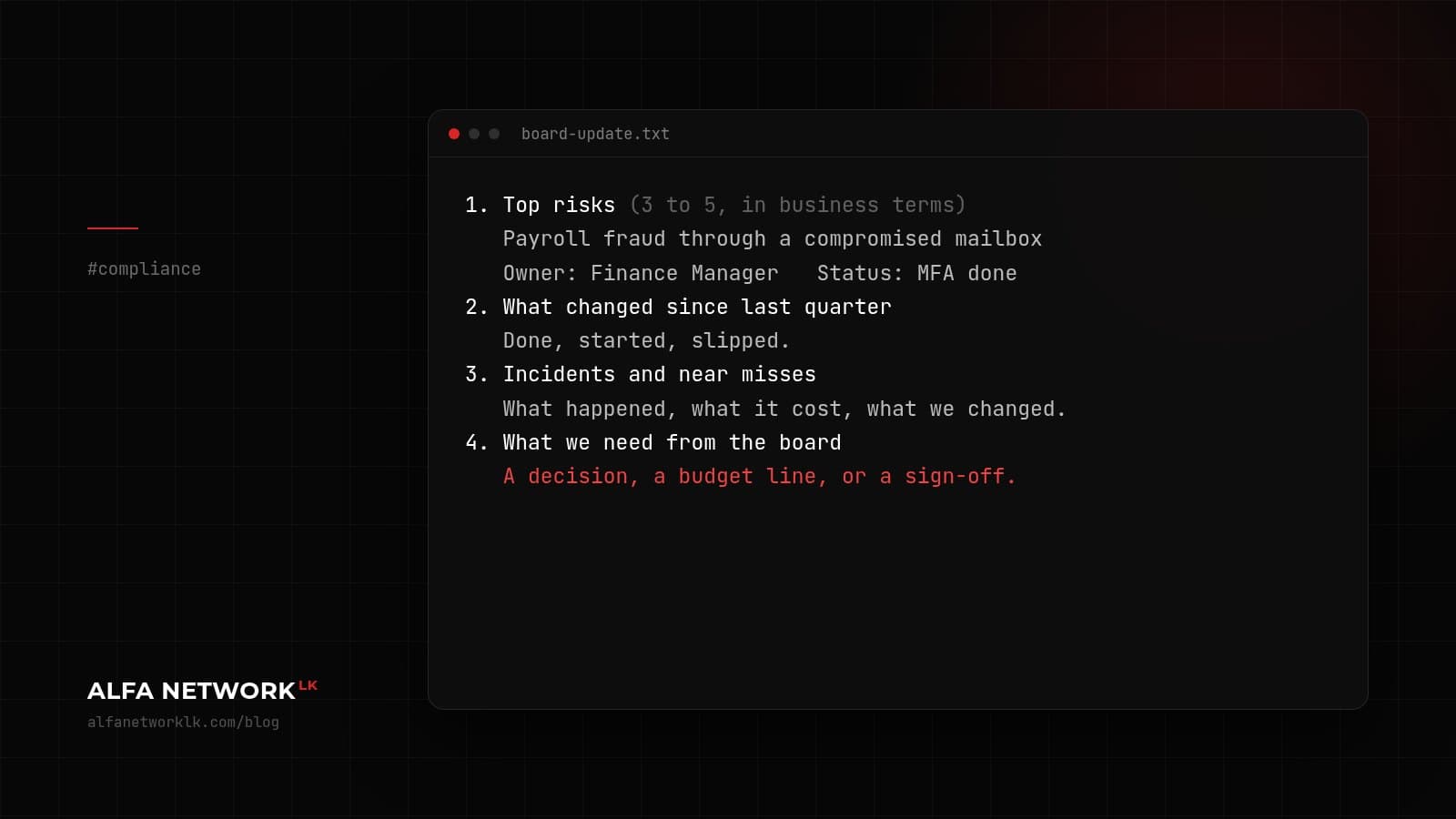
1. Top risks (3 to 5, in business terms)
   e.g. "Payroll fraud through a compromised email account"
   Owner:   Finance Manager
   Status:  MFA on all mailboxes done. Call-back rule for
            bank detail changes started in March.
   Concern: some suppliers still send bank details as PDFs

2. What changed since last quarter
   Two or three lines. Done, started, slipped.

3. Incidents and near misses
   Short and factual. What happened, what it cost,
   what we changed.

4. What we need from the board
   A decision, a budget line, or a policy sign-off.
A few things we'd avoid. Colour-coding every item red, amber or green sounds tidy, but after a year everything is amber. Tool counts ("phishing emails blocked this quarter") are hard for a board to interpret and easy to make look good.
And don't make things sound better than they are. "We haven't tested a restore from backup this year" is uncomfortable to say out loud. It's also the kind of line that gets a budget approved.
Banks and other regulated companies usually have a reporting format set by the Central Bank or their regulator. The one-page version still helps as a cover note, because the full report is rarely read end to end.


Comments (0)
No public comments yet.