
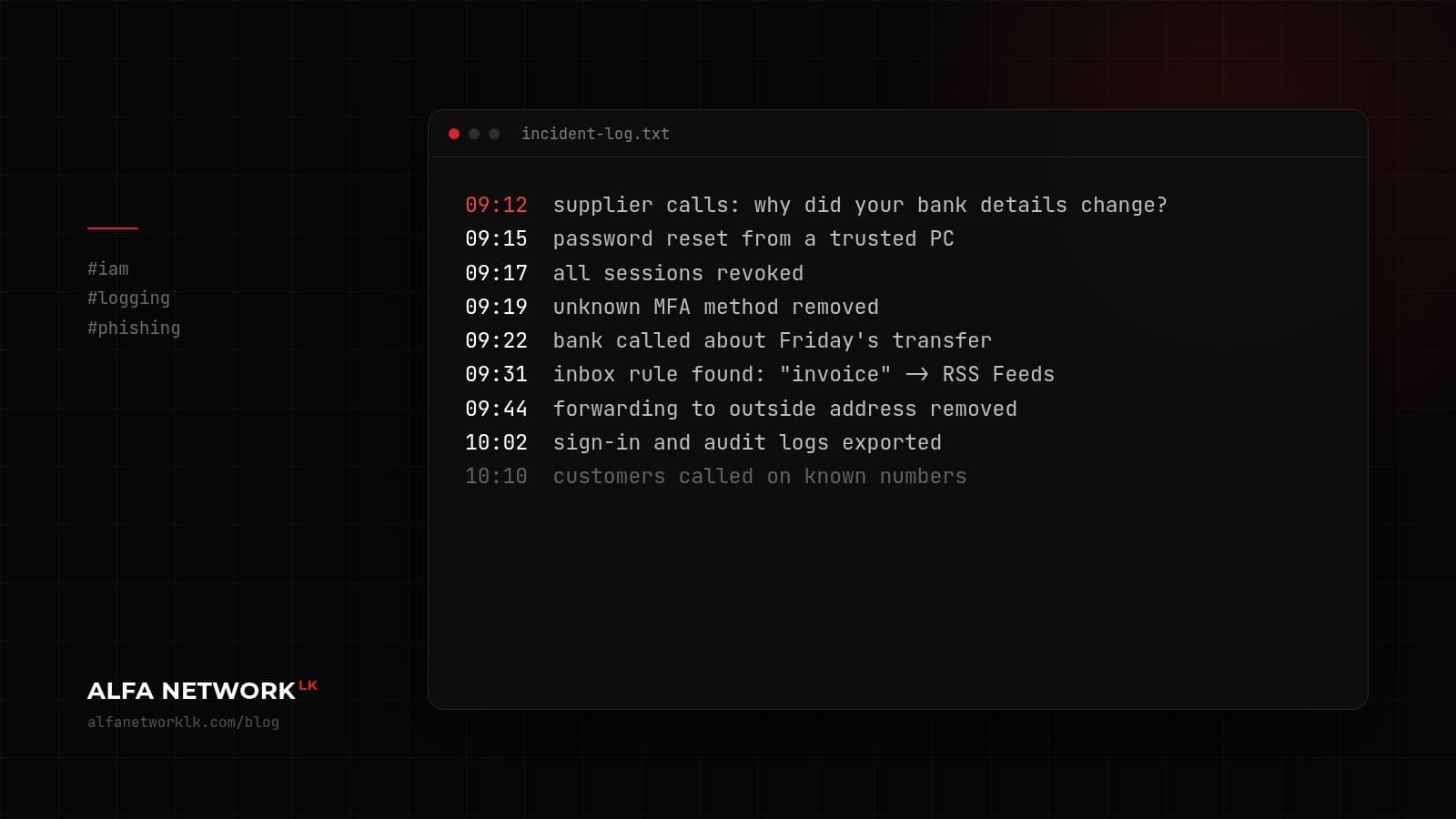
A supplier asks why your bank details changed, and nobody in the office changed them. What to do in the first hour, in order.
It often starts with a phone call. A supplier rings to ask why the bank details on your last invoice changed. Nobody in your office changed them. Someone has been reading, and sending, from one of your mailboxes.
Business email compromise is common here, and it can cost more than ransomware because the money leaves through a normal bank transfer. Catch it early and you can limit the damage a lot. This is the order we'd work in. It assumes Microsoft 365 or Google Workspace, but the ideas carry over.
First 15 minutes: lock it down
- Reset the account password from a device you trust.
- Sign the user out everywhere. In Microsoft 365 that's "Revoke sessions" on the user in Entra ID; in Google Workspace, reset the user's sign-in cookies from the Admin console. A password change alone doesn't always end existing sessions.
- Check MFA is on, and remove any MFA method the user doesn't recognise. Attackers like to add their own.
- If money may have gone out, call your bank now. Don't wait for the investigation. Transfers can sometimes be stopped or recalled if the bank hears quickly.
Next 20 minutes or so: find what they changed
Attackers who get into a mailbox usually set things up so they can stay quiet. Look for:
- Inbox rules, especially ones that move or delete mail containing words like "invoice", "payment" or "bank"
- Forwarding to an outside address
- Apps granted access to the mailbox that nobody recognises
- Recent sent items and deleted items
Export the sign-in and audit logs now. Depending on your licence, retention can be short, and you'll want them later.
Rest of the hour: who needs to know
Check who the account emailed while it was compromised. If invoices or bank details went out, call those customers or suppliers (phone, not email) and tell them which details are real.
If the mailbox held customer personal data, think about your obligations under the Personal Data Protection Act. If it looks like part of something bigger, report it to Sri Lanka CERT|CC. Keep a simple written log of what you did and when. It helps whoever picks this up next, including an outside team if you bring one in.
Afterwards
The fix is nearly always the same: MFA for everyone, legacy authentication blocked, and a rule that any change to bank details is confirmed by phone on a number you already had. That last one costs nothing and stops most of these frauds.

Comments (0)
No public comments yet.