
This blog used to run on Django, so this one is a bit personal. The settings and habits we look at first when testing a Django app.
This blog used to run on Django, and we test a fair number of Python web apps, so here's the short list we go through first. Most of these are one-line fixes. They still turn up in reports.
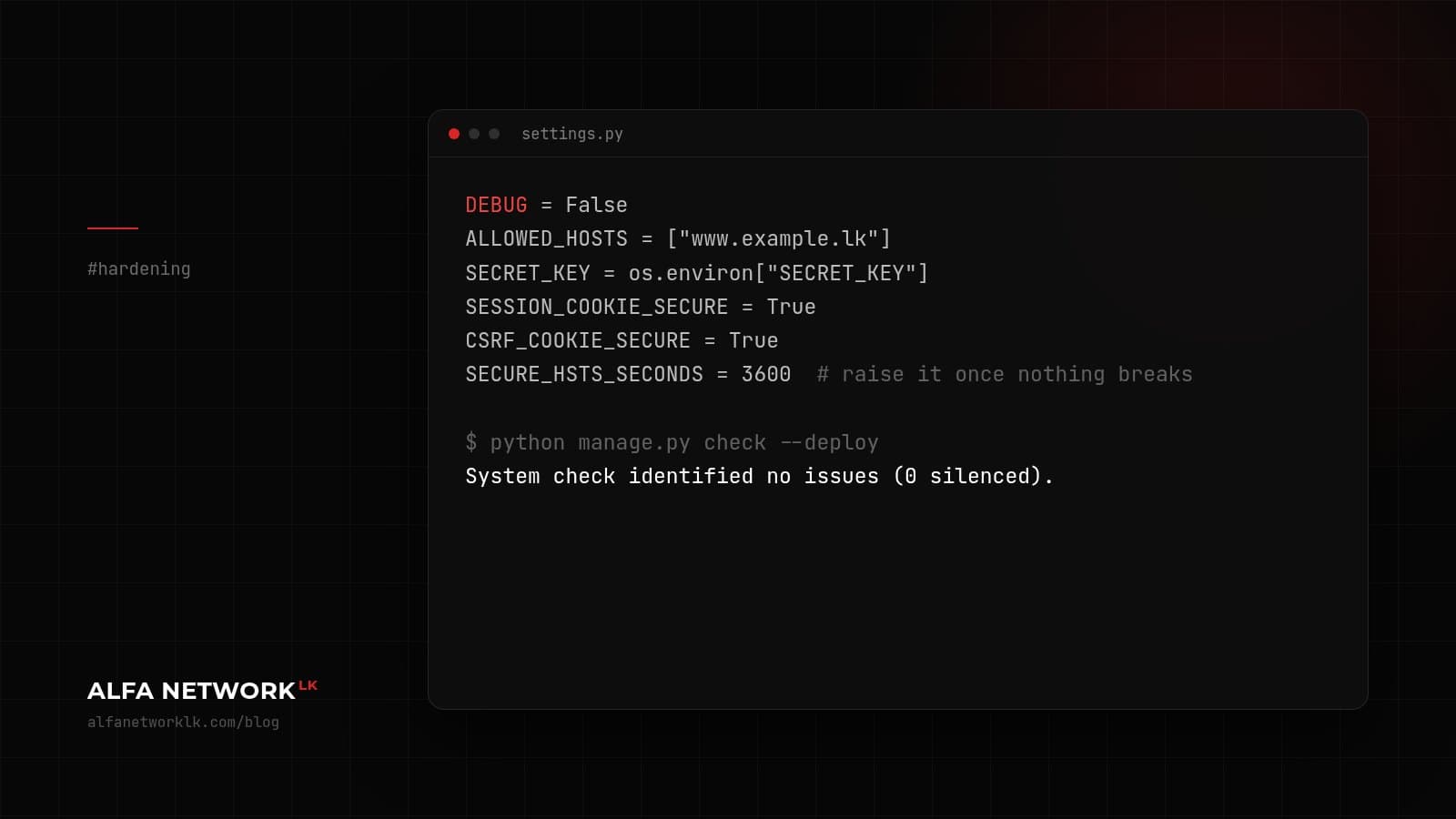
The settings
DEBUG = False
ALLOWED_HOSTS = ["www.example.lk"]
SECRET_KEY = os.environ["SECRET_KEY"]
SESSION_COOKIE_SECURE = True
CSRF_COOKIE_SECURE = True
SECURE_HSTS_SECONDS = 31536000
DEBUG = True in production is still the classic. The yellow error page hands your settings and a lot of internal detail to anyone who can trigger an error.
Don't set a long HSTS max-age until you're sure HTTPS works on every subdomain. Start small, an hour or a day, and raise it once nothing has broken.
Things that aren't settings
- Run
python manage.py check --deploybefore each release. It catches most of the above. - Put the admin behind MFA, or restrict it by IP or VPN if that's practical.
- For user uploads, check the file type on the server, not just in the browser, and serve uploads from a separate domain if you can.
- Update Django on a schedule. Security releases come out regularly and the release notes are clear about what was fixed. Monthly works for most teams.
- Log failed logins and 500 errors somewhere a person actually looks.
Where the real bugs usually are
Django handles CSRF, SQL injection through the ORM and password hashing well. In our experience the serious findings on Django apps are in the application code instead: views that check a user is logged in but not that the record belongs to them, raw SQL added for one report, and API endpoints that return more fields than the front end needs.
If you only have time for one thing, pick five views that load something by ID and see what happens when you change the ID.


Comments (0)
No public comments yet.